
There is a version of a website problem that is easy to identify. The site is broken. The design is outdated. The content is wrong. You can see it and name it.
Then there is this version. The site looks professional. The content is solid. The messaging is reasonably clear. But the rankings are lower than they should be, the AI citations are absent, and nobody can quite explain why.
In most cases where this pattern appears, the website platform is the problem. Not the content. Not the strategy. Not the effort that went into building the site. The platform that all of those things are built on.
Studies show over 70% of businesses regret their platform choice within 18 months. The platform you choose affects speed to launch, total cost of ownership, and competitive advantage.
This article explains the specific ways your platform can suppress both Google rankings and AI visibility simultaneously, how to check whether this is happening to your site, and what the realistic options are for addressing it.

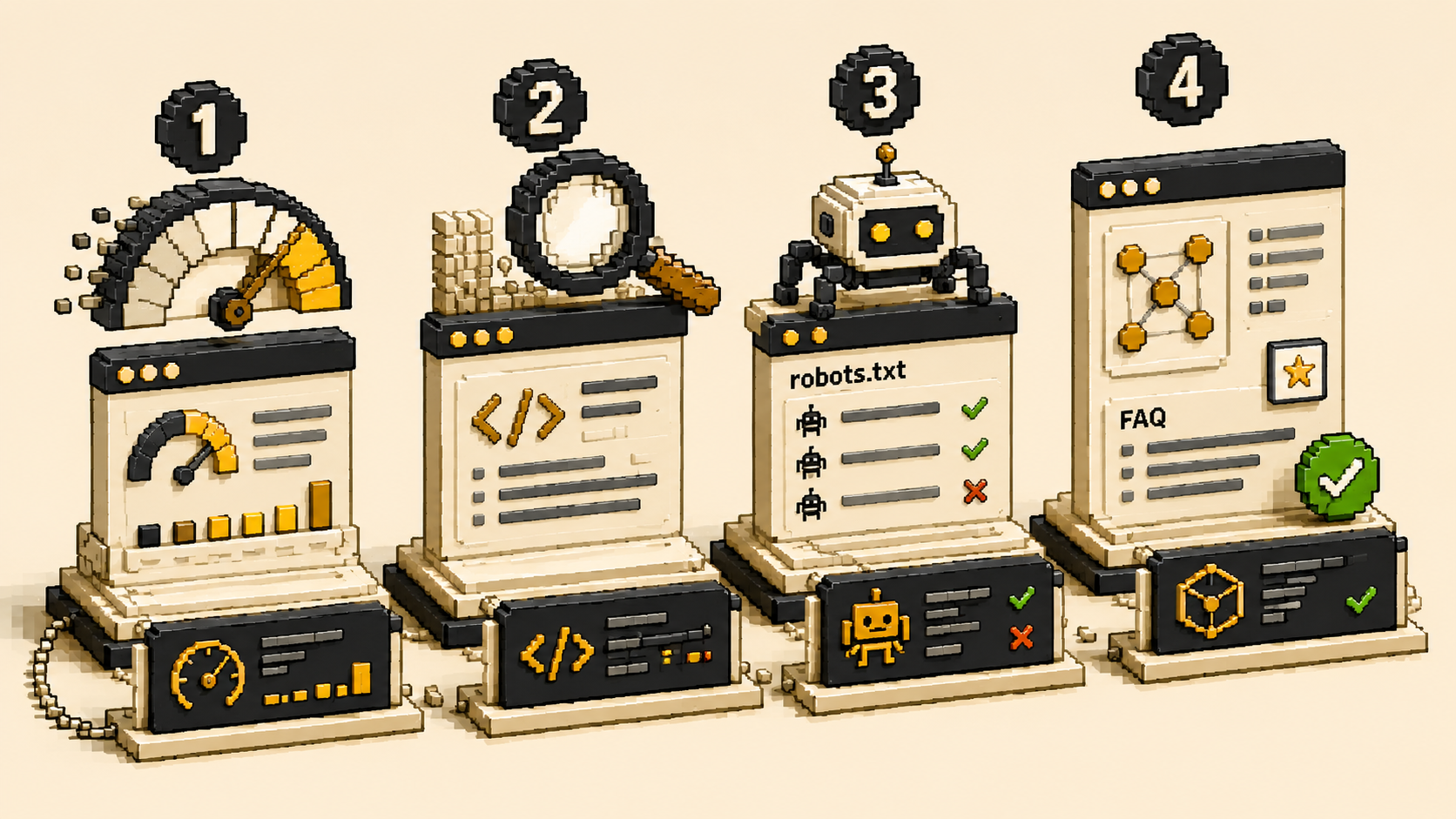
The Four Platform-Level Problems That Hurt Rankings and AI Visibility
How does a website platform affect Google rankings and AI citations?
These four problems are the most common platform-level issues that suppress search and AI visibility. All of them are invisible from a design perspective and invisible to most business owners reviewing their own sites.
Problem 1: Slow page load times caused by bloated platform code.
More than 53% of users will simply leave a page if it takes more than 3 seconds to load, and a delay of just 1 second decreases conversions by 7%.
Google uses Core Web Vitals, including page load speed, as ranking signals. A site that consistently loads slowly ranks lower than a comparably content-rich site that loads quickly. This is not a content problem. It is a platform and build problem. Heavy page builders, unoptimized plugin stacks, and low-quality hosting all contribute to slow load times that suppress rankings regardless of content quality.
Problem 2: Incomplete page delivery to AI crawlers.
AI tools send crawlers to read website content before generating recommendations. On platforms that deliver server-rendered HTML, crawlers receive the complete page. On platforms that rely on JavaScript assembly (common with heavy WordPress page builders), crawlers may receive an incomplete version of the page. Sections assembled by JavaScript may be absent. Schema markup injected by JavaScript may not be present. The crawler reads whatever is there and moves on, often with an incomplete and therefore less citable picture of your content.
Problem 3: AI crawlers blocked in robots.txt.
This is a platform-adjacent issue rather than a purely platform issue, but it is frequently encountered on sites that were configured before AI crawlers existed. A robots.txt file with a broad bot-blocking rule, common in older WordPress configurations aimed at blocking scraper bots, may be blocking GPTBot, ClaudeBot, and PerplexityBot. If AI tools cannot read your site, no amount of content quality will produce AI citations.
Problem 4: Missing or broken schema markup.
Schema markup is the primary technical layer determining AI Overview citation eligibility in 2026. Without it, even strong content gets passed over because the machine cannot classify it confidently.
Schema markup tells AI tools and search engines explicitly what your business is, what your services are, and which sections of your page are question-and-answer pairs. Its presence dramatically increases AI citation eligibility. Its absence forces AI tools to guess. Many platform configurations either do not support easy schema implementation or have schema configured incorrectly, producing structured data that appears broken in validation tools.
How to Diagnose Your Platform's Impact on Your Visibility
How do I check whether my platform is hurting my search and AI visibility?
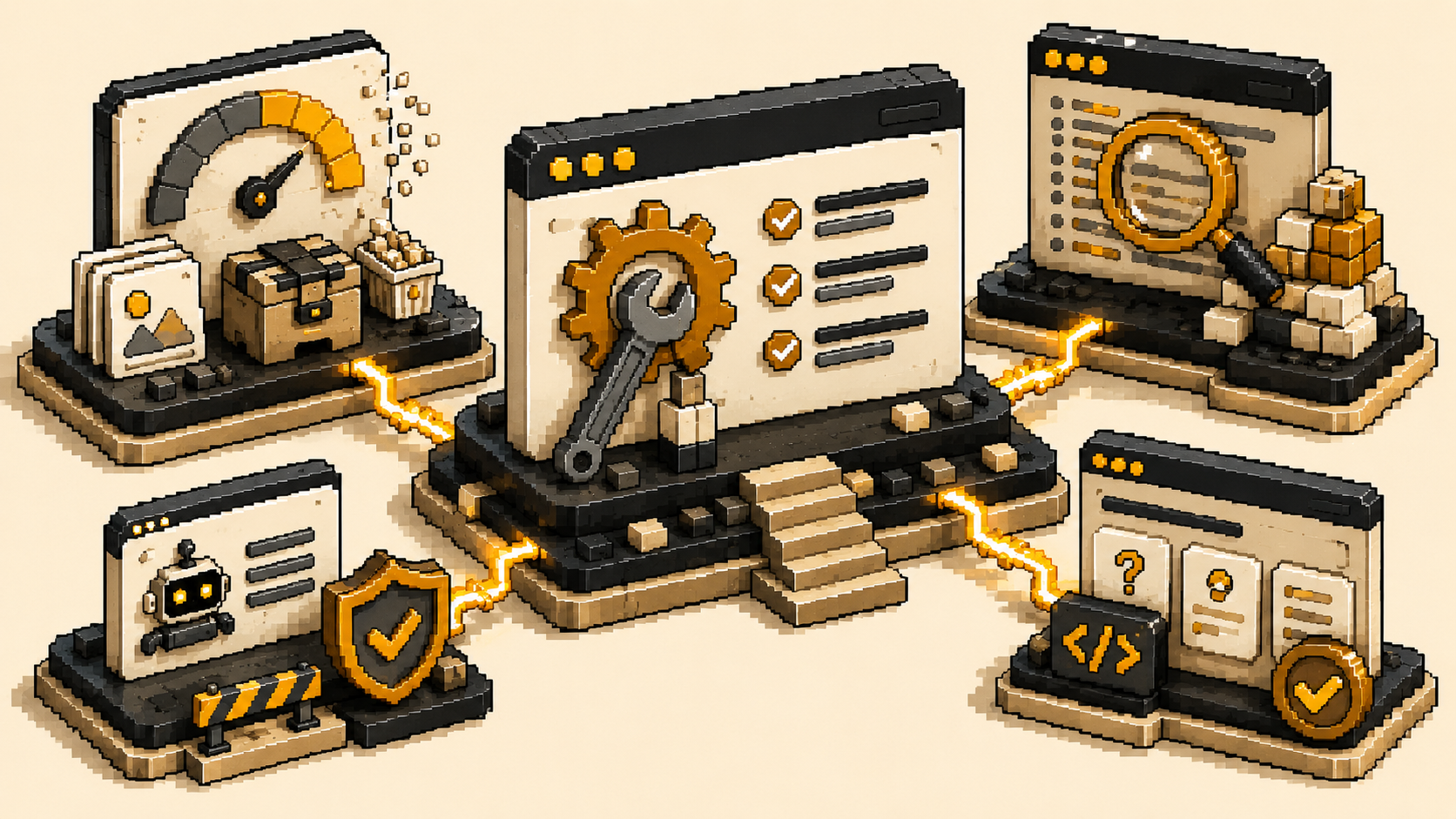
Run these four checks. Each takes under five minutes and gives you a specific, actionable result.
Check 1: PageSpeed Insights.
Go to pagespeed.web.dev and enter your homepage URL. Record your mobile score. Below 70 is a significant performance issue. Below 50 is a severe one. Note the specific issues listed: are they image-related (fixable with optimization), plugin-related (fixable with cleanup), or core platform-related (may require platform migration)?
Check 2: Page source review.
Open your homepage in a browser. Press Ctrl+U (or Cmd+Option+U on Mac) to view the page source. Look for your actual page content: your headline, your service descriptions, your FAQ questions. If you can find them as readable text in the source, your server-side rendering is adequate. If the source is primarily JavaScript code with minimal actual content, AI crawlers are likely receiving incomplete pages.
Check 3: robots.txt review.
Type yourwebsite.com/robots.txt into your browser. Look for Disallow rules under GPTBot, ClaudeBot, or PerplexityBot. If any of these are blocked, you are invisible to the corresponding AI tools. This is one of the highest-impact fixes available and takes under ten minutes to implement.
Check 4: Schema validation.
Go to search.google.com/test/rich-results and enter your homepage URL. Is Organization schema detected? Is FAQ schema detected? If no structured data appears, AI tools are guessing about what your business is. If errors are flagged, your schema exists but is incorrectly configured.
What to Do Based on What You Find
How do I fix platform-level visibility problems?
The fix depends on which problems you found and how severe they are.
If your PageSpeed score is below 70 but your site is on a capable platform:
Start with image optimization, remove unnecessary plugins or scripts, and configure caching. Many performance problems on existing sites are fixable without platform migration.
If your page source shows incomplete content delivery:
Implement server-level caching that pre-renders pages for crawlers. Cloudflare caching or a quality WordPress caching plugin configured correctly can substantially improve crawler readability on existing sites. If the page builder is too complex to optimize effectively, a platform migration becomes more cost-effective.
If AI crawlers are blocked:
Fix the robots.txt file immediately. This is the highest-priority item on this list. A developer can implement this change in under ten minutes and the effect on AI crawler access is immediate.
If schema is absent or broken:
Implement Organization schema and FAQ schema markup on your key pages. This is a developer task that typically takes two to four hours for a standard service business site and has direct, measurable impact on AI citation eligibility.
If multiple problems compound:
When page speed is poor, crawler readability is limited, schema is absent, and the fixes for each require workarounds rather than straightforward implementation, a rebuild on a platform where these are defaults rather than configurations is often the more cost-effective path over a two to three year horizon.
At The PixelSeed Studio, we assess all four of these dimensions before making any platform recommendation. The goal is always to recommend the minimum intervention that will produce the required outcome, not the maximum.
Your Platform Health Check: Score Yourself Today
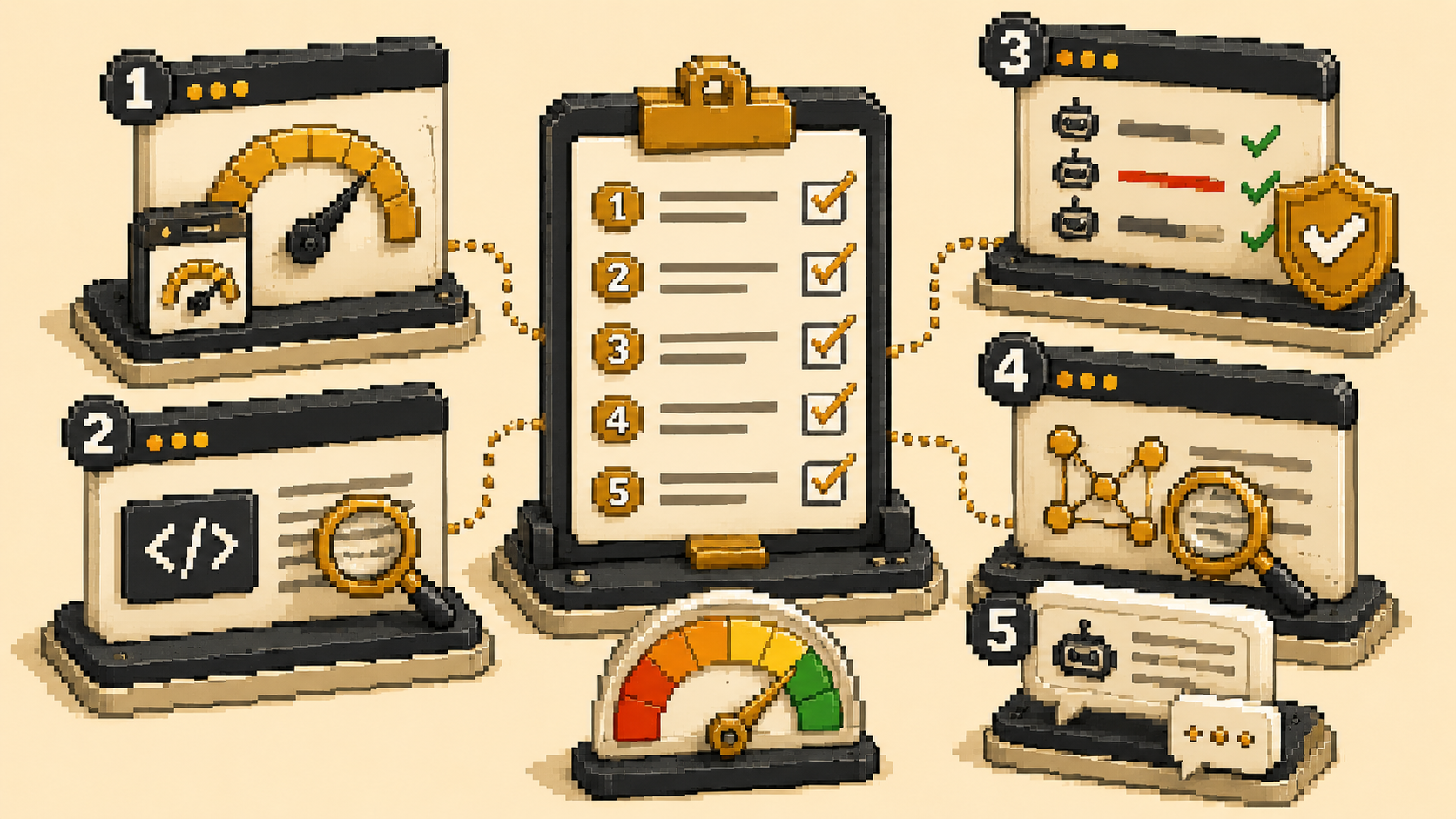
Run through this five-point check on your current website. Score one point for each yes.
1. Does your homepage load in under three seconds on mobile, confirmed by a score above 70 on pagespeed.web.dev?
2. When you view your homepage page source (press Ctrl+U or Cmd+Option+U in your browser), can you find your actual headline, service descriptions, and FAQ content as readable text in the HTML, rather than primarily JavaScript code?
3. When you visit yourwebsite.com/robots.txt, are GPTBot, ClaudeBot, and PerplexityBot all allowed to crawl your site, with no Disallow rules blocking them?
4. When you run your homepage through search.google.com/test/rich-results, is Organization schema detected with no errors?
5. When you open ChatGPT or Perplexity and ask five questions your ideal clients would ask about your category, does your business appear in any response?
Score 5: Your platform is performing at the technical level required for both search and AI visibility. Focus on content depth and authority building.
Score 3 to 4: One or two platform-level problems are suppressing your visibility. The targeted fixes listed in this article address each specifically. Most can be implemented without a platform migration.
Score 2 or below: Your platform is limiting your search rankings and AI visibility simultaneously, likely across multiple dimensions. The combination of blocked AI crawlers, incomplete page delivery, and absent schema creates compounding invisibility that configuration-level fixes may not fully solve. A platform evaluation is worth having before the next round of content investment.

Frequently Asked Questions