
Server-side rendering is one of those technical terms that sounds complex but describes a simple concept. Once you understand what it is, you will understand why it matters for AI visibility in a way that no amount of content optimization can fully compensate for if it is absent.
Server-side rendering is the practice of building a complete webpage on the server before sending it to the browser or crawler that requested it. When someone visits a server-rendered page, they receive the full, finished product immediately. When an AI crawler visits a server-rendered page, it receives the full, finished product immediately.
The alternative, client-side rendering, sends the browser a minimal skeleton and instructions for assembling the page using JavaScript. For human visitors with modern browsers, the assembly happens quickly and the experience feels seamless. For AI crawlers, the assembly may not happen at all.
Server-side rendering is generally better for SEO because it provides immediate content availability to search engine crawlers, faster indexing, and better Core Web Vitals performance. SSR ensures that search engines can access complete page content without requiring JavaScript execution, leading to more reliable crawling and indexing.

The Simple Explanation
What is server-side rendering in plain language?
Think of it this way.
Client-side rendering is like sending someone a flat-pack furniture kit and assembly instructions. The recipient has everything they need, and if they follow the instructions, they end up with the complete piece of furniture. But it takes time to assemble, and if they do not have the right tools or if they do not finish assembling it, they are left with parts.
Server-side rendering is like delivering the furniture already assembled. The recipient opens the door and the complete piece of furniture is there. No assembly required. No waiting. No risk of incomplete assembly.
AI crawlers do not wait for assembly. They arrive, read what is there, and leave. A server-rendered page gives them the complete, assembled piece. A client-side rendered page gives them the kit and the instructions, with no guarantee that assembly will be complete before they move on.

Why This Matters Specifically for AI Tools
How does server-side rendering affect whether AI tools can read my website?
Think about it from Google's perspective: they are crawling billions of pages. Every millisecond counts. SSR applications present content on a silver platter, while CSR applications make crawlers jump through hoops.
For AI tools, the stakes of incomplete page reading are higher than for traditional search engines. Google has invested years in building JavaScript rendering capability and can often process client-side rendered pages effectively, though not perfectly. AI crawlers like GPTBot, ClaudeBot, and PerplexityBot are more recent and have different resource budgets for page processing.
When an AI crawler visits a client-side rendered page and the JavaScript assembly is incomplete at the time of reading, several specific problems can occur:
Missing content.
Sections of the page that are assembled by JavaScript may be absent. An FAQ section that is dynamically loaded, a testimonials block that is rendered by a page builder component, or a call-to-action that is injected by JavaScript may simply not be present in what the AI crawler reads.
Missing schema.
If schema markup is added through JavaScript execution rather than server-rendered HTML, it may not be present when the AI crawler reads the initial document. The structured data layer that tells AI tools what your business is and what your page represents is absent.
Incomplete headings.
Page headings assembled by client-side JavaScript may not appear in the correct hierarchy or at all in the initial HTML, making it difficult for AI tools to understand the page structure and identify the topic of each section.
On a server-rendered platform like Webflow, none of these problems exist. The complete page, including all content, schema markup, and heading structure, is delivered in the initial HTML response.
The Performance Connection
How does server-side rendering affect website speed?
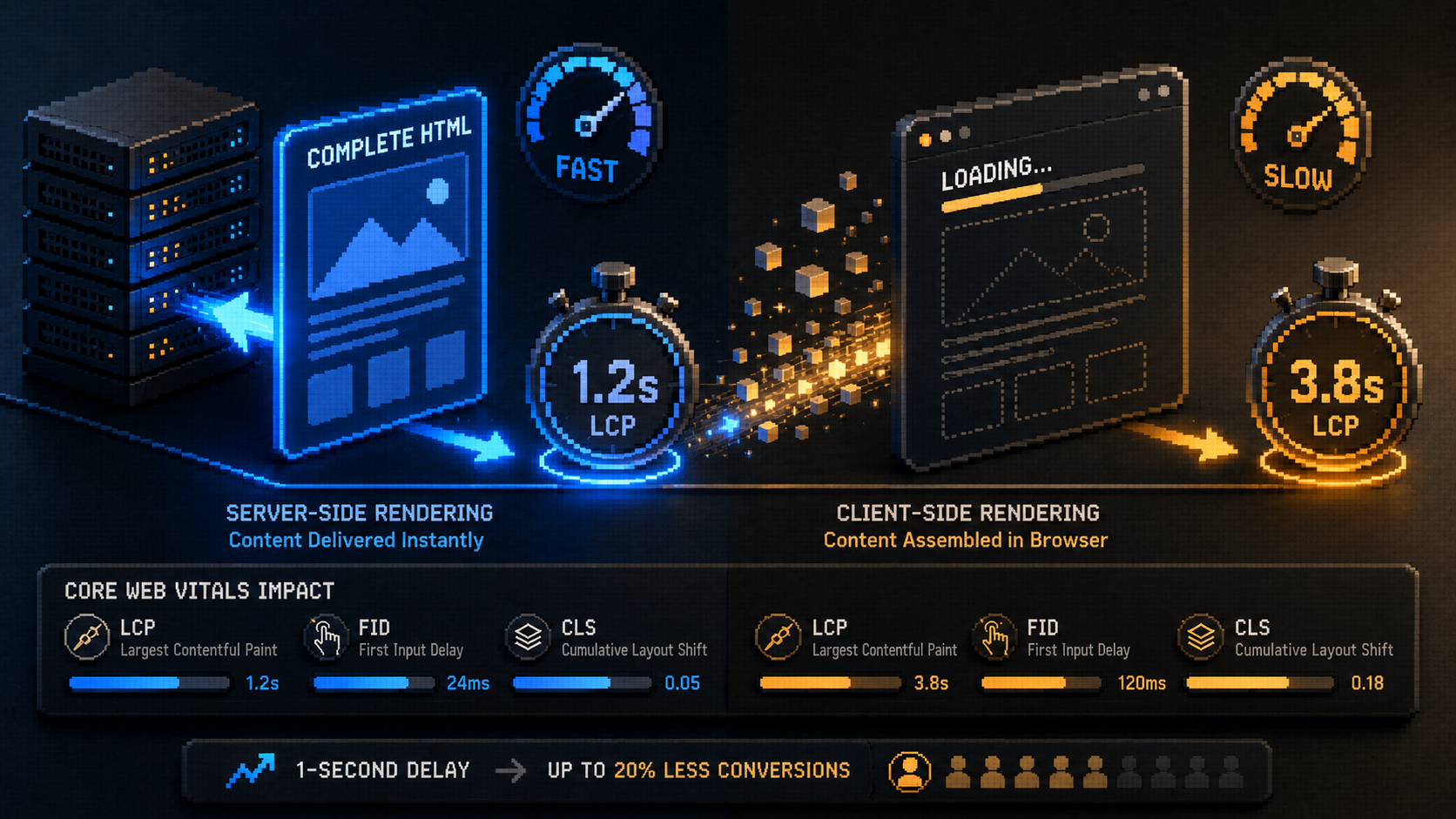
SSR generally provides better SEO performance because search engines can immediately crawl and index pre-rendered HTML. SSR provides immediate content visibility, whereas CSR introduces a delay before content becomes visible.
The connection between server-side rendering and page speed is direct. When the server delivers complete HTML, the browser can begin rendering the visible page immediately. The user sees content faster. Core Web Vitals scores improve. The page's Largest Contentful Paint (LCP), which measures how quickly the main content of a page becomes visible, benefits directly from server-side rendering.
This performance advantage feeds back into both traditional SEO and AI visibility. Google's Core Web Vitals are confirmed ranking factors. A page that loads its main content quickly scores better than one that requires JavaScript assembly before content appears. Faster pages are ranked higher and cited more readily.
For service businesses, the conversion rate implication is also direct. Google's research confirms that a one-second delay in mobile load time reduces conversions by up to 20%. Server-side rendering is one of the structural factors that reduces load times, which in turn protects conversion rate.
What Server-Side Rendering Looks Like in Practice
How do I know if my website uses server-side rendering?
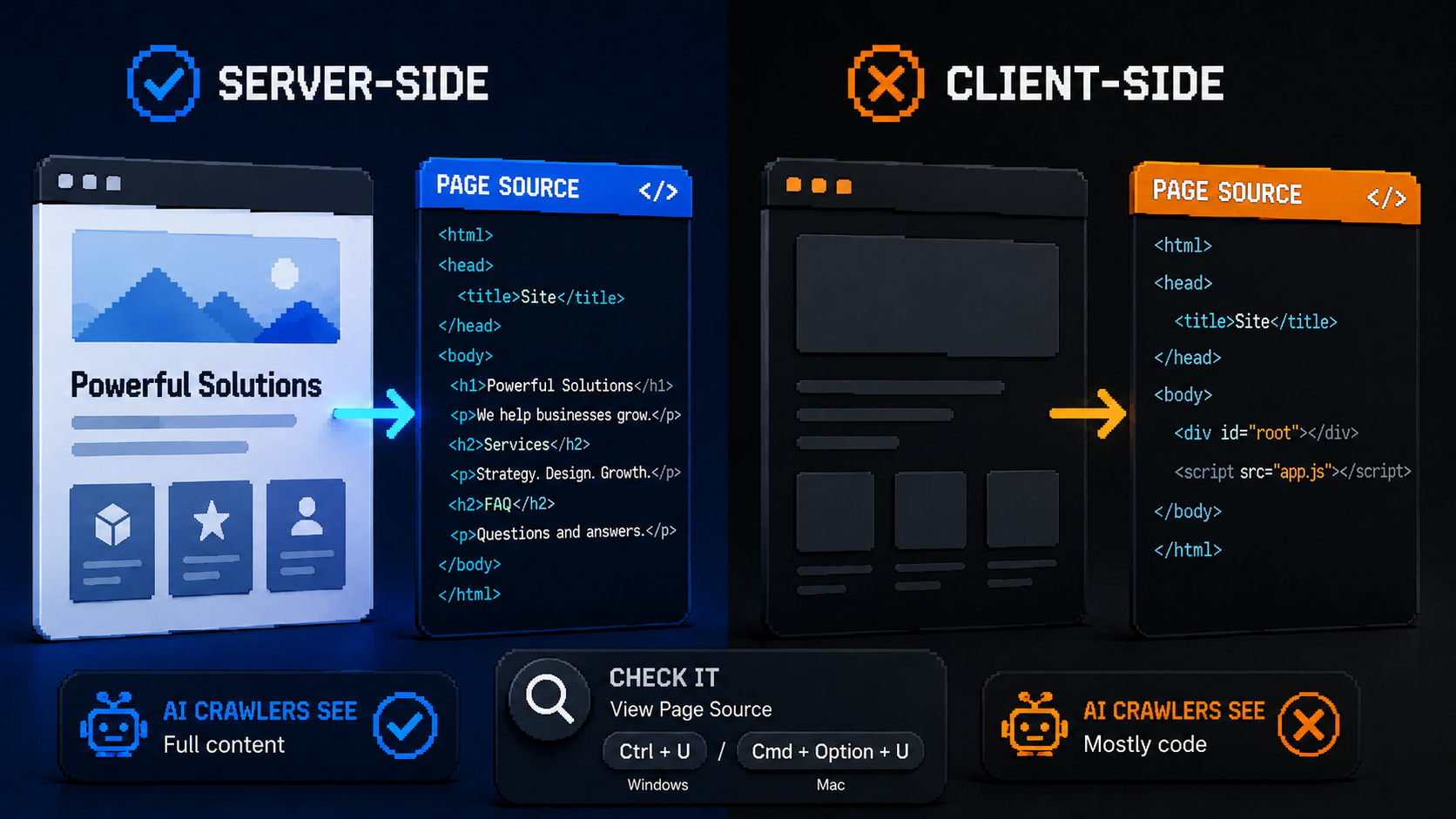
The simplest test requires no technical knowledge. Open your website in a browser. Right-click anywhere on the page and select "View Page Source" (or press Ctrl+U on Windows or Cmd+Option+U on Mac).
In the page source that appears, look for your actual page content: your homepage headline, your service descriptions, your FAQ questions and answers. If you can find these in the raw HTML source, your page is delivering server-rendered content and AI crawlers can read it.
If the page source is mostly JavaScript code with minimal actual content, your page is primarily client-side rendered. AI crawlers are receiving the JavaScript instructions, not the assembled content.
Webflow sites consistently pass this test. The page source of a Webflow site contains the actual page content in readable HTML. This is the technical foundation that makes Webflow a strong choice for AI visibility alongside its other performance and operational advantages.
Can You Fix Client-Side Rendering Problems Without Migrating?
Is there a way to improve server-side rendering on an existing WordPress site?
Yes, with varying degrees of effectiveness depending on your current configuration.
Caching.
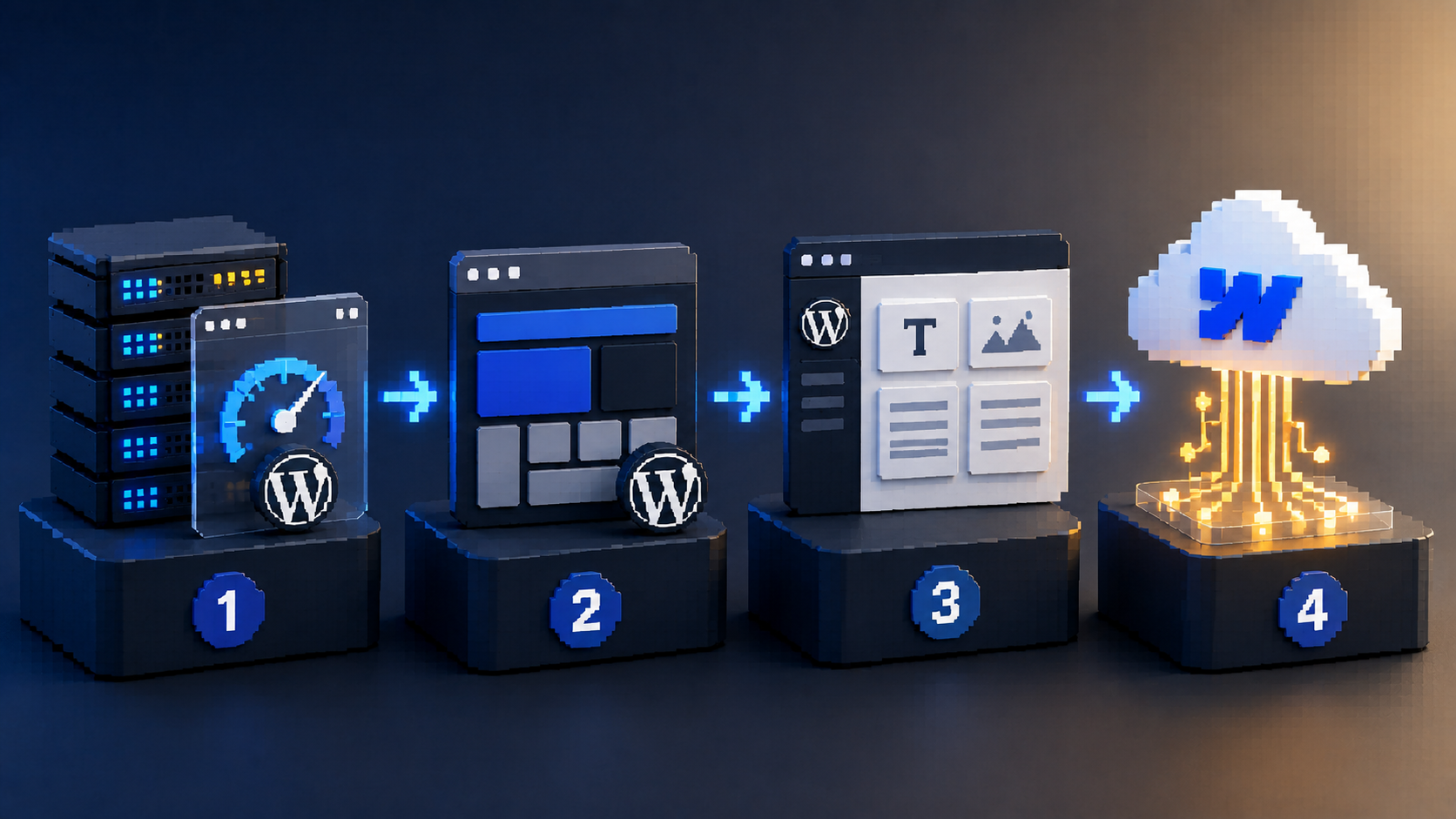
The most accessible fix is implementing a caching layer that pre-renders your pages and delivers static HTML to crawlers. Cloudflare caching, WP Rocket, or server-level caching from a quality host can effectively convert client-side rendered pages into server-rendered equivalents for crawler purposes. This is the fix most WordPress sites should attempt before considering a platform migration.
Reducing page builder complexity.
The heavier the page builder and the more JavaScript-dependent the layout, the harder it is to achieve clean server-rendered output. Simplifying layouts, removing unnecessary page builder blocks, and migrating to lighter-weight theme configurations reduce the JavaScript dependency.
Moving to WordPress's native editor.
Gutenberg (WordPress's built-in block editor) produces significantly cleaner, more server-rendered HTML than third-party page builders. Sites migrated from heavy page builders to Gutenberg often see meaningful improvements in crawler readability.
Platform migration to Webflow.
When the configuration-level fixes are insufficient or the maintenance overhead of maintaining proper caching is too high, migration to a platform with server-side rendering by default is often the most cost-effective long-term solution.

Frequently Asked Questions